

Both give the client a short-lived access token for
https://mcp.volteras.com/mcp. Your existing Volteras API credentials do not work with the MCP server: it only accepts tokens issued for it.
Each method has to be switched on for your organization. Contact us if you can’t sign in or the MCP credentials page is missing from the portal.
Sign in with the Volteras Portal
When you add the server to an AI client, the client opens the Volteras Portal in your browser and asks you to approve it. No API keys to copy.1
Add the server to your client
Use the server URL
https://mcp.volteras.com/mcp. See Connect your AI client for the steps in each client.2
Sign in to the portal
Your browser opens the Volteras Portal. Sign in if you aren’t already. If your organization requires two-factor authentication, you will be asked to set it up first.
3
Approve the request
The Authorization request page shows which client is asking, the data it wants access to, and the account and organization you are approving as. Check the client is the one you just added, then select Approve.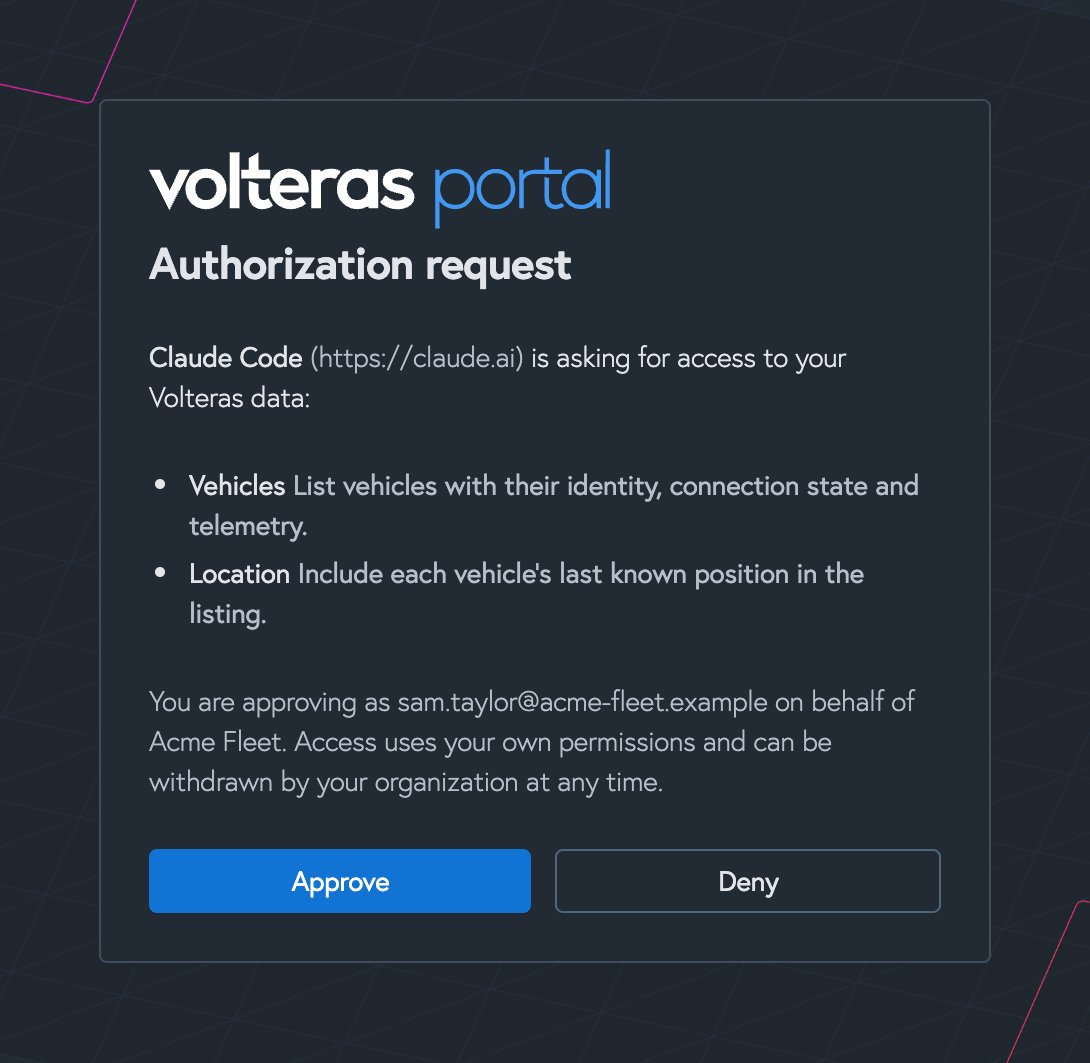
4
Return to your client
The browser hands you back to your client, which is now connected. Try asking it “who am I connected to Volteras as?”
What the client can see
The assistant acts as you, so it can never see more than you can. Its scopes are worked out every time it renews its token, and are the scopes that all of these allow:- Your role. Owners, Admins and Developers can have
vehicles:readandlocation:read. Team members can havevehicles:readonly. - Your organization. Your organization may not have every scope enabled. For example, if
location:readisn’t enabled, no one in it gets position data, whatever their role. - The client’s request. A client can ask for fewer scopes than you could grant it.
Staying signed in
Your client renews its access token in the background, so you won’t be asked to sign in every session. A sign-in lasts up to 30 days. After that, your client takes you through the approval step again.Which clients can sign in
Clients identify themselves with a Client ID Metadata Document: anhttps URL that describes the client. This is the method recommended by the MCP authorization specification. The server does not support dynamic client registration, so a client that relies on it can’t sign in. Use an MCP credential with those clients instead, if they let you set a bearer token.
MCP credentials
An MCP credential is a client ID and secret that belongs to your organization rather than a person. Use one for back-end systems, scheduled jobs and agents you build yourself.Create a credential
You need the Owner, Admin or Developer role. Owners and Admins can also revoke credentials.1
Open MCP credentials
In the Volteras Portal, go to Account > MCP credentials and select Create credential.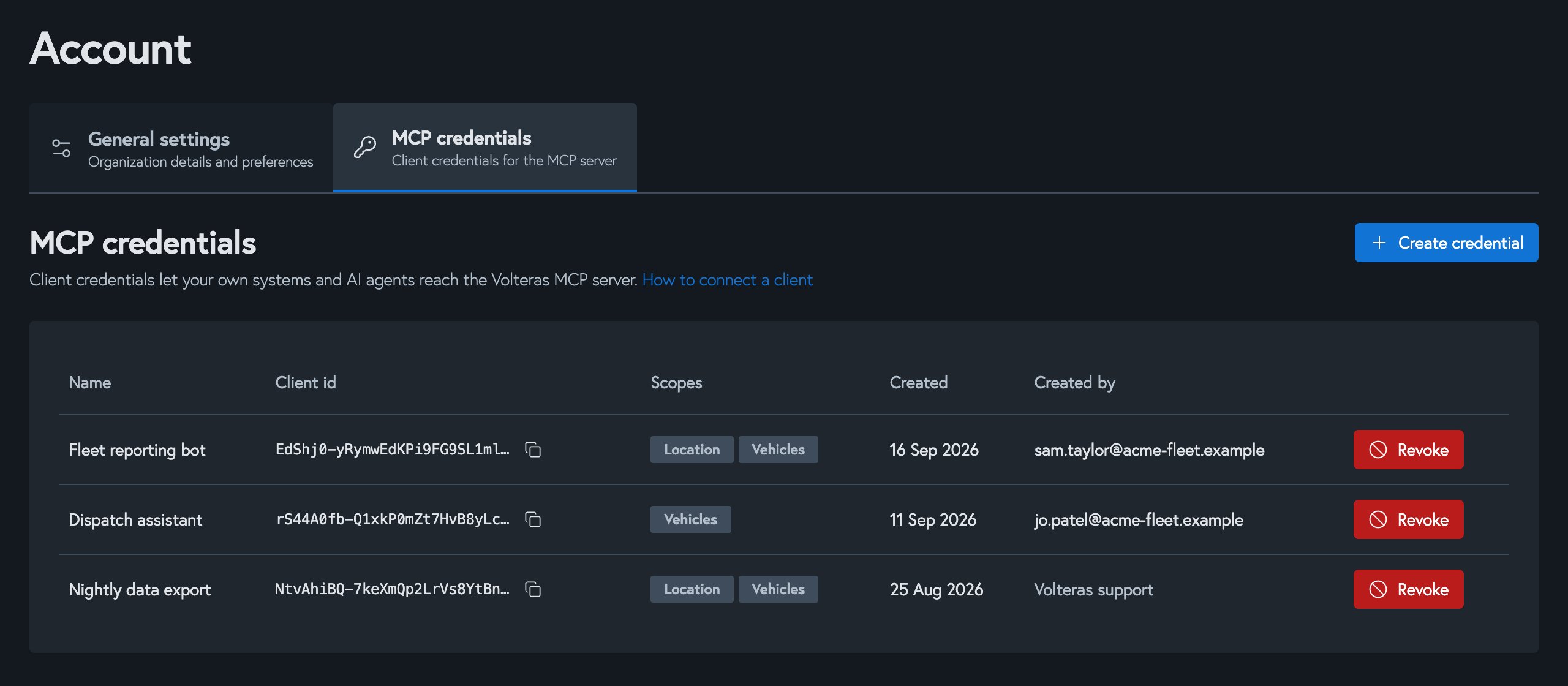
2
Name it and choose scopes
Name it after the system that will use it, for example “Fleet reporting bot”. Choose its scopes: Vehicles (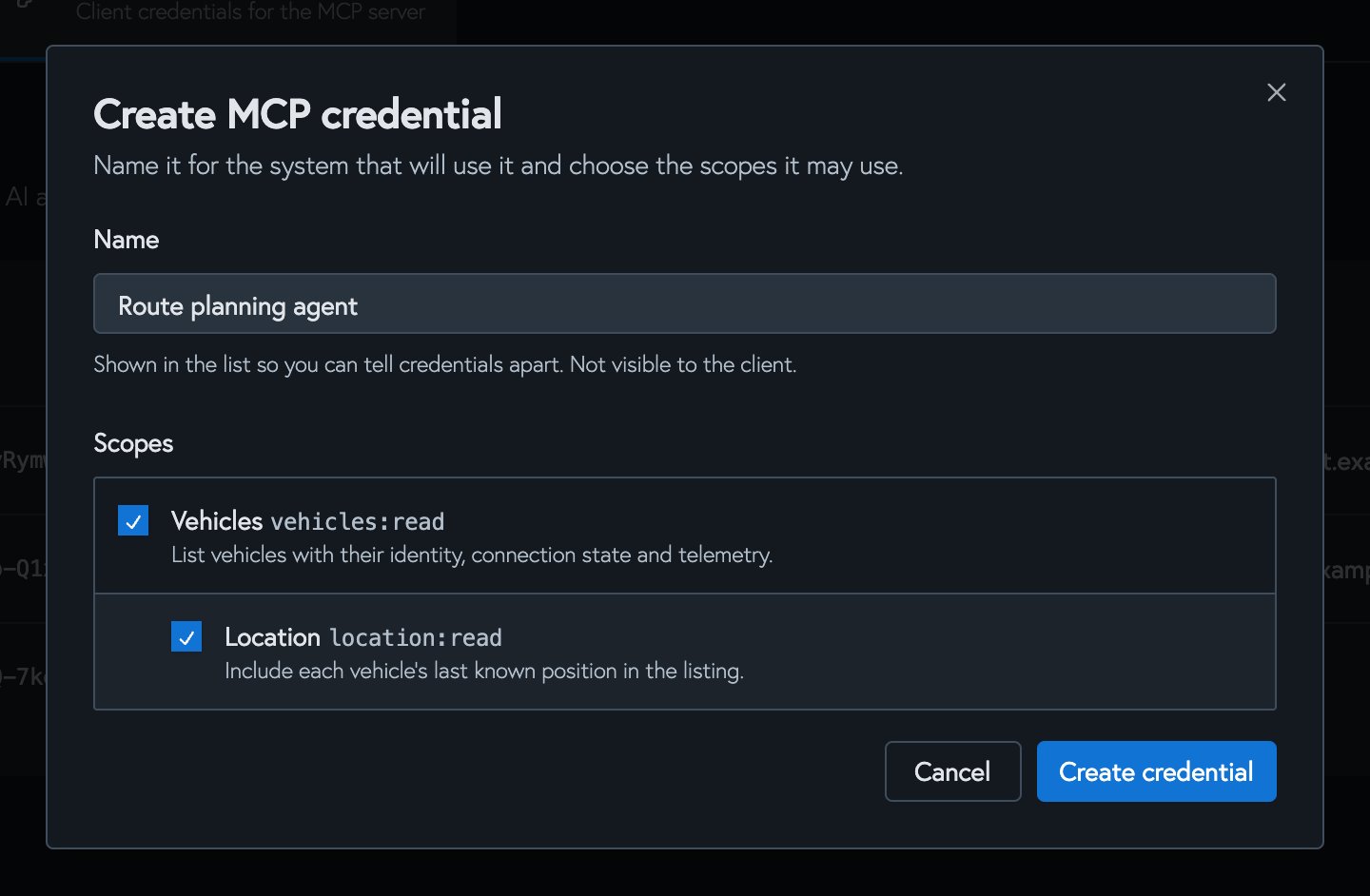
vehicles:read) and, optionally, Location (location:read). Location needs Vehicles.3
Copy the client secret
Copy the client ID and client secret. The secret is shown once and is not stored. If you lose it, revoke the credential and create another.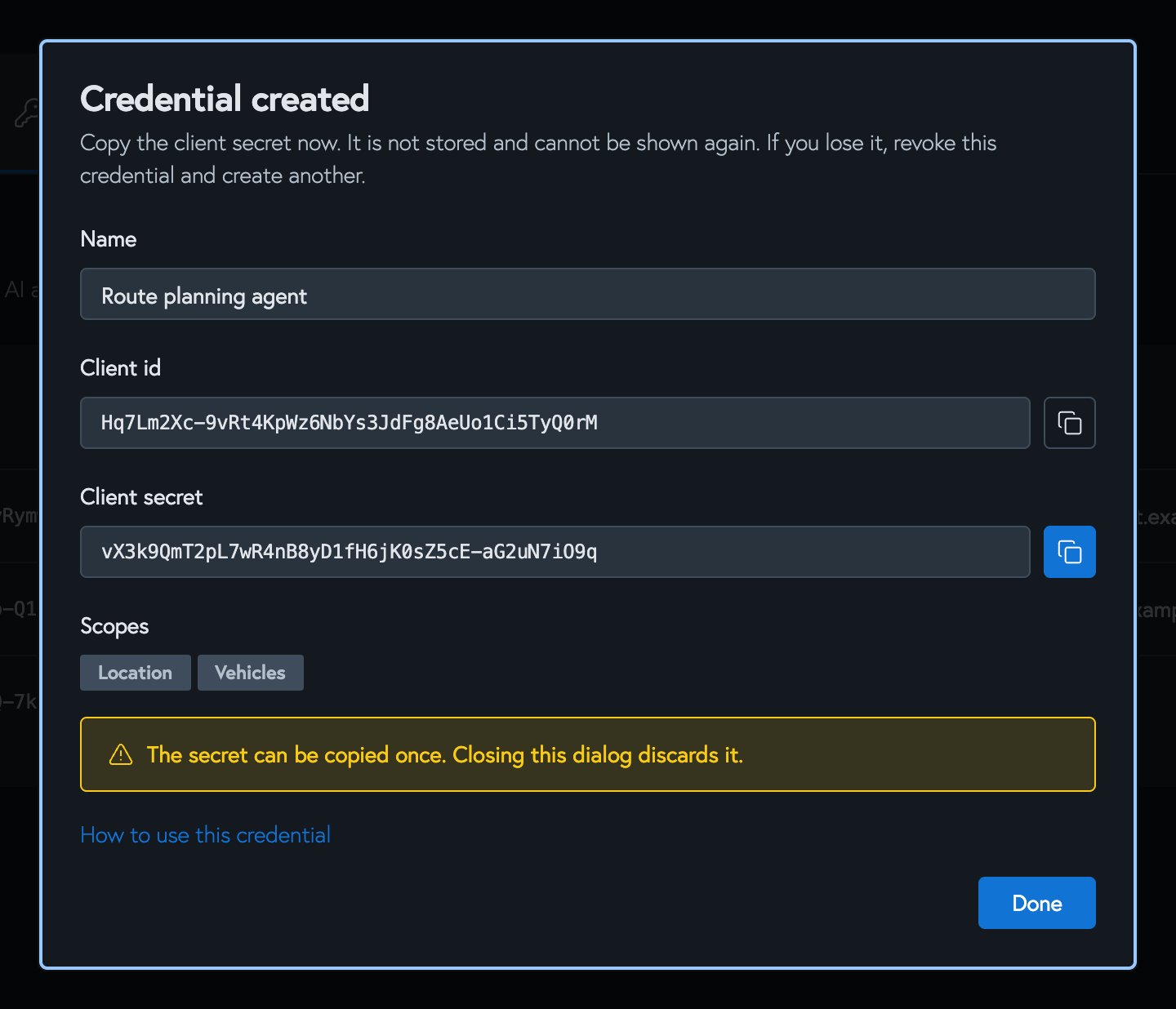
Get an access token
Exchange the credential for an access token at the token endpoint. Send the MCP server URL asresource. Without it, the request is treated as a Volteras API token request, and your MCP credential is rejected with Incorrect client_id.
Response
Pass the client ID and secret with HTTP Basic authentication, as above, or as
client_id and client_secret form fields.
The token lasts ten minutes and there is no refresh token. Request a new one when it expires. Then send it as a bearer token on every request to the MCP server:
Use it from an agent
Most MCP client libraries take a bearer token or an auth hook. For example, with the official Python SDK:Revoke a credential
In Account > MCP credentials, select Revoke next to the credential. It is refused new tokens immediately. A token it already holds keeps working until it expires, within ten minutes. Revoking can’t be undone.Scopes
The
get_me tool needs no scope. These scopes are separate from the vehicle consent scopes granted when a vehicle is connected. A value is only returned when both allow it. See the tools reference.
For client developers
The server implements the MCP authorization specification. A client can discover everything it needs from the server URL:- An unauthenticated request to the server gets
401with aWWW-Authenticateheader pointing at the protected resource metadata. - The authorization code flow needs PKCE with
S256and theresourceparameter. Theclient_idis thehttpsURL of the client’s metadata document, which must list itsredirect_uris. Loopback redirects (http://localhost,127.0.0.1,[::1]) match on any port. - Access tokens are RS256-signed JWTs (
typ: at+jwt) that last ten minutes. - Refresh tokens rotate on every use. Reusing an old refresh token ends the session.